 Obsidian plugin · runs on the AI you already have
Turn your notes intolessons, teaching videosand memory that sticks.
Say what you want to learn. Your AI tool builds it; you study, watch and review it inside Obsidian.
Free community plugin · Opens Obsidian. Nothing happens? Install from the plugin directory (opens in a new tab)
What do you want to do?
Teach me git as short videos. Goal: commit without ever losing work again.
- Read your notes in Dev/git
- Wrote a learning map: 3 lessons around your own repo
- Teacher: Nico, learn by doing
- Rendered 3 videos in the Engram studio
- Added the series to Video Academy
Done. Open EngramQuest to see it.
Illustrative run. Results are real plugin screens.
Make teaching videos
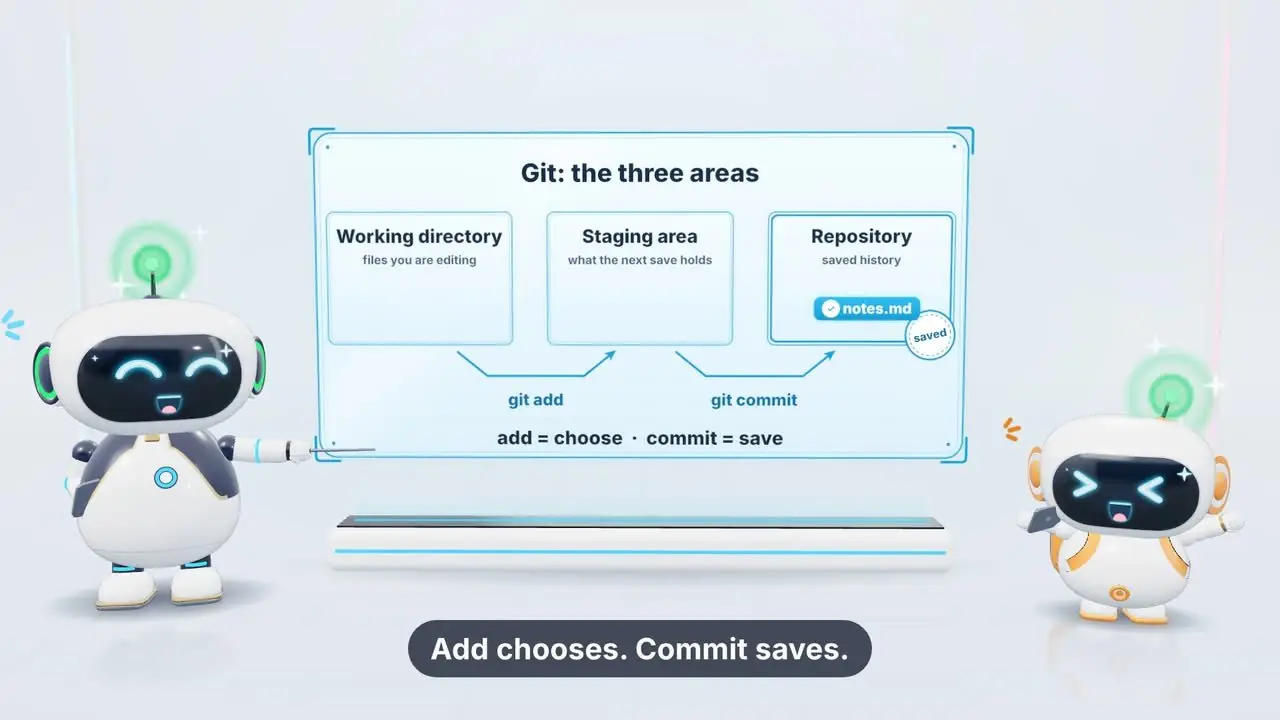
Teach me git as short videos. Goal: commit without ever losing work again.
- Read your notes in Dev/git
- Wrote a learning map: 3 lessons around your own repo
- Teacher: Nico, learn by doing
- Rendered 3 videos in the Engram studio
- Added the series to Video Academy
Video Academy · Git Basics: the Three Areas
Make a course
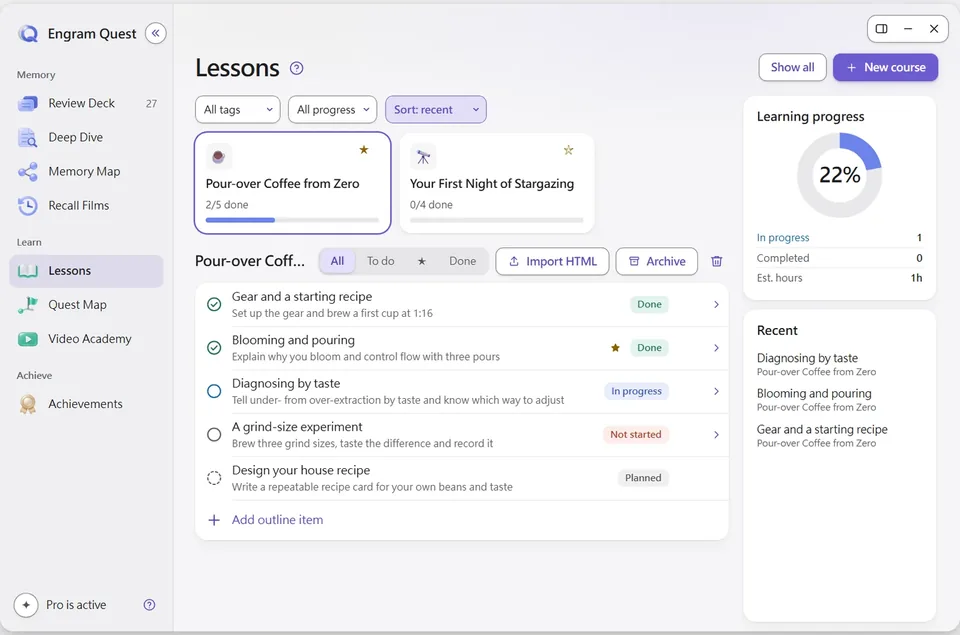
I want to learn pour-over coffee. Goal: brew a cup I like without a recipe card.
- Asked why you are learning and where you are now
- Showed the outline first: 5 lessons, one project
- Wrote interactive lessons, each ending in a quiz
- Linked them to your Coffee notes
- Added the course to Lessons
Lessons · Pour-over Coffee from Zero
Build a review deck
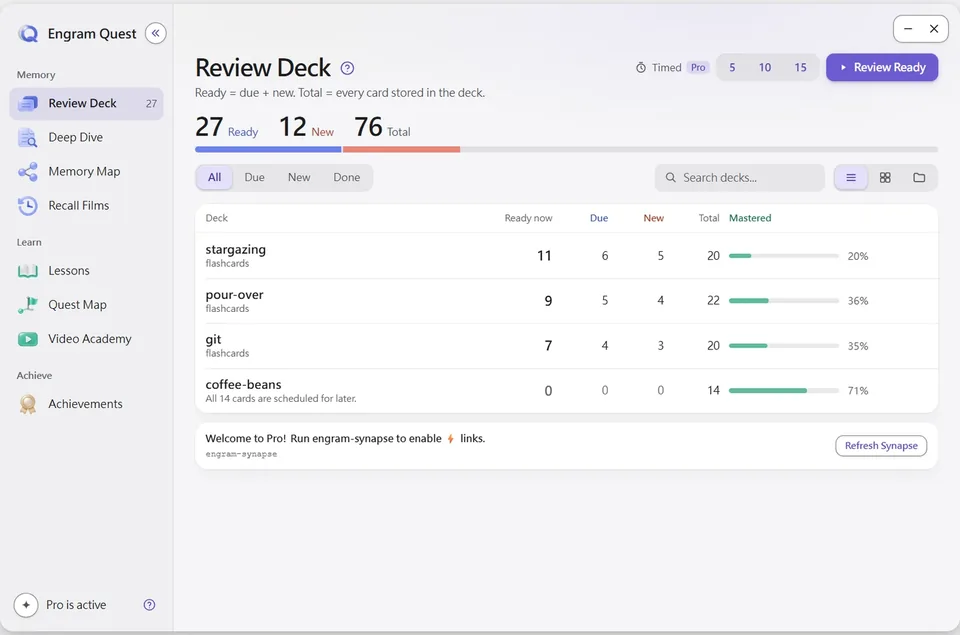
Build a review deck from my stargazing notes.
- Found 6 notes about stargazing
- Wrote 20 cards in engram-review/ (your notes stay untouched)
- Added hints that point back to where you learned each one
- FSRS schedules each card just before you forget it
Review Deck · 27 cards ready
Practice with a quest
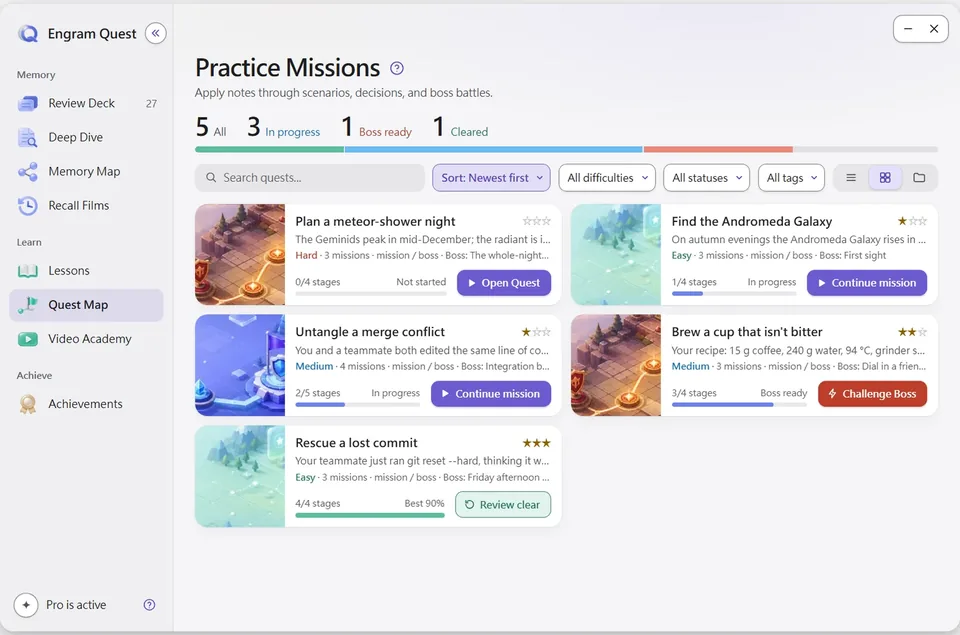
Turn my git notes into a medium quest with a boss battle.
- Read your git notes
- Designed 4 missions in situations you have not seen
- Added a boss battle that tests judgment, not recall
- Saved it to engram-quest/quests/
Quest Map · Practice missions
See how it connects
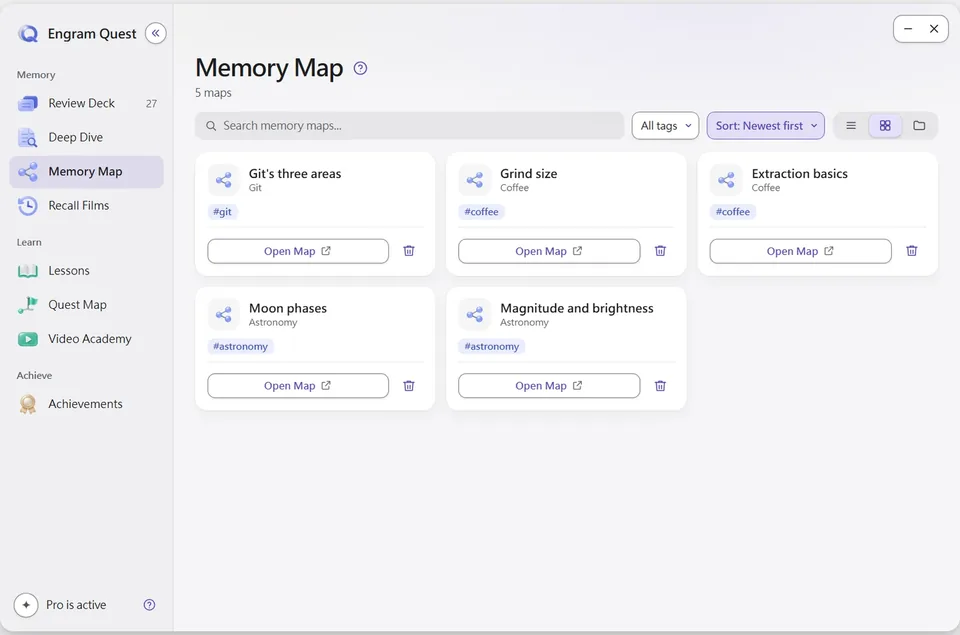
Make a memory map of git's three areas.
- Found the core idea and what it connects to in your vault
- Grouped it into chunks with one analogy
- Wrote Git-memory.canvas next to your note
Memory Map · Obsidian Canvas
EngramQuest is a free Obsidian community plugin that turns your notes into AI-built courses, short animated teaching videos, practice quests and FSRS spaced-repetition flashcards. The AI work runs in tools you already use, and AI is optional.
Works with the AI tool you already use. No extra subscription, no API fees.
- Claude Code
- Claude Desktop
- Codex
- Gemini CLI
- Cursor
- Antigravity
One set of notes
Learn it. Watch it. Practice it. Remember it.
Each part works on its own or flows into the next. Every one of them is a page in the same Hub inside Obsidian.
Short teaching videos made from your notes.
Say a goal in one sentence. Claude Code turns it into short animated lessons taught by a teacher in a classroom, and the player remembers where you stopped.
Learn more Video Academy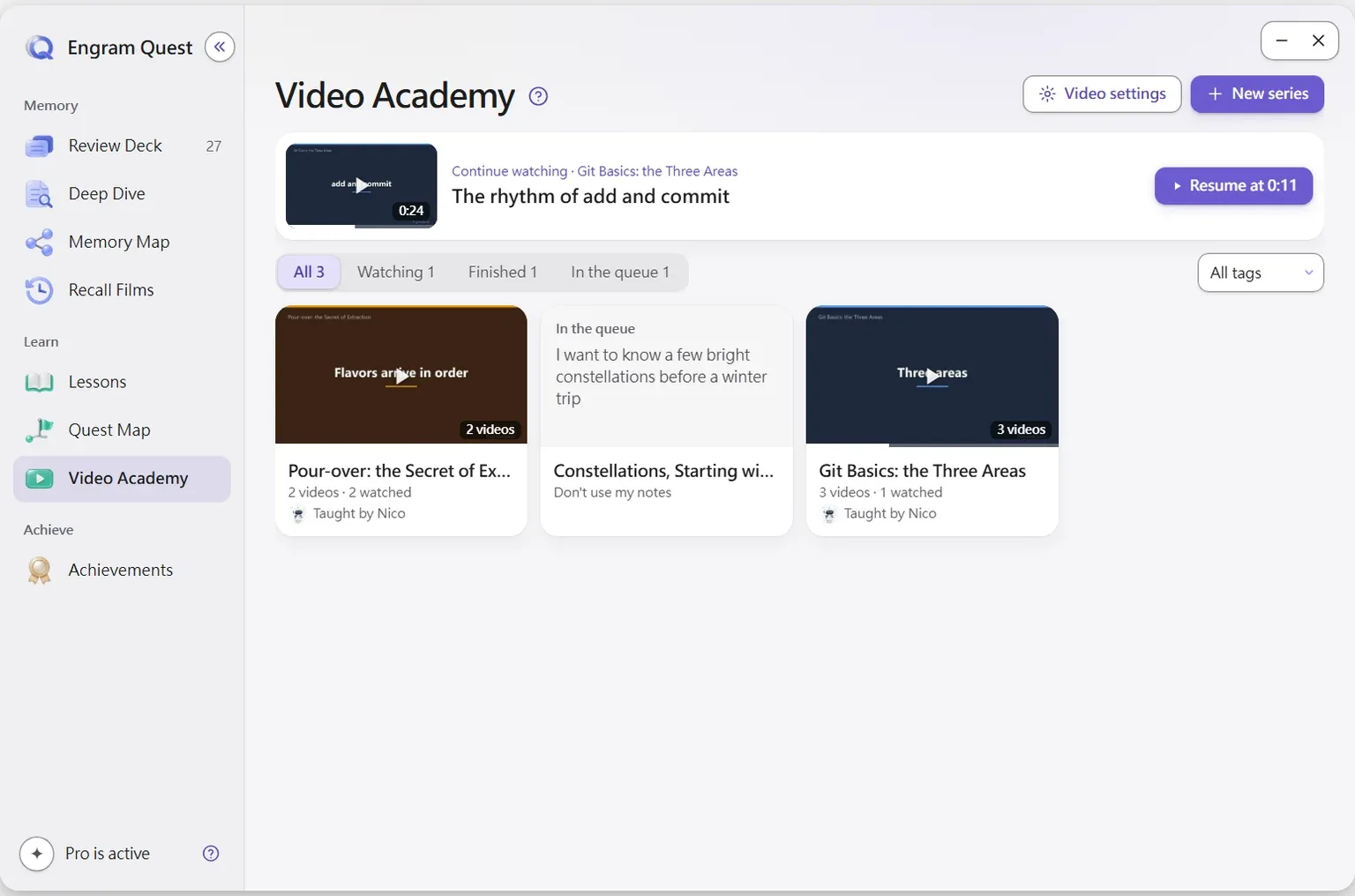
A course built around your goal.
Your AI asks why you are learning, shows the outline first, then writes interactive lessons with a quiz at the end of each one.
Learn more Lessons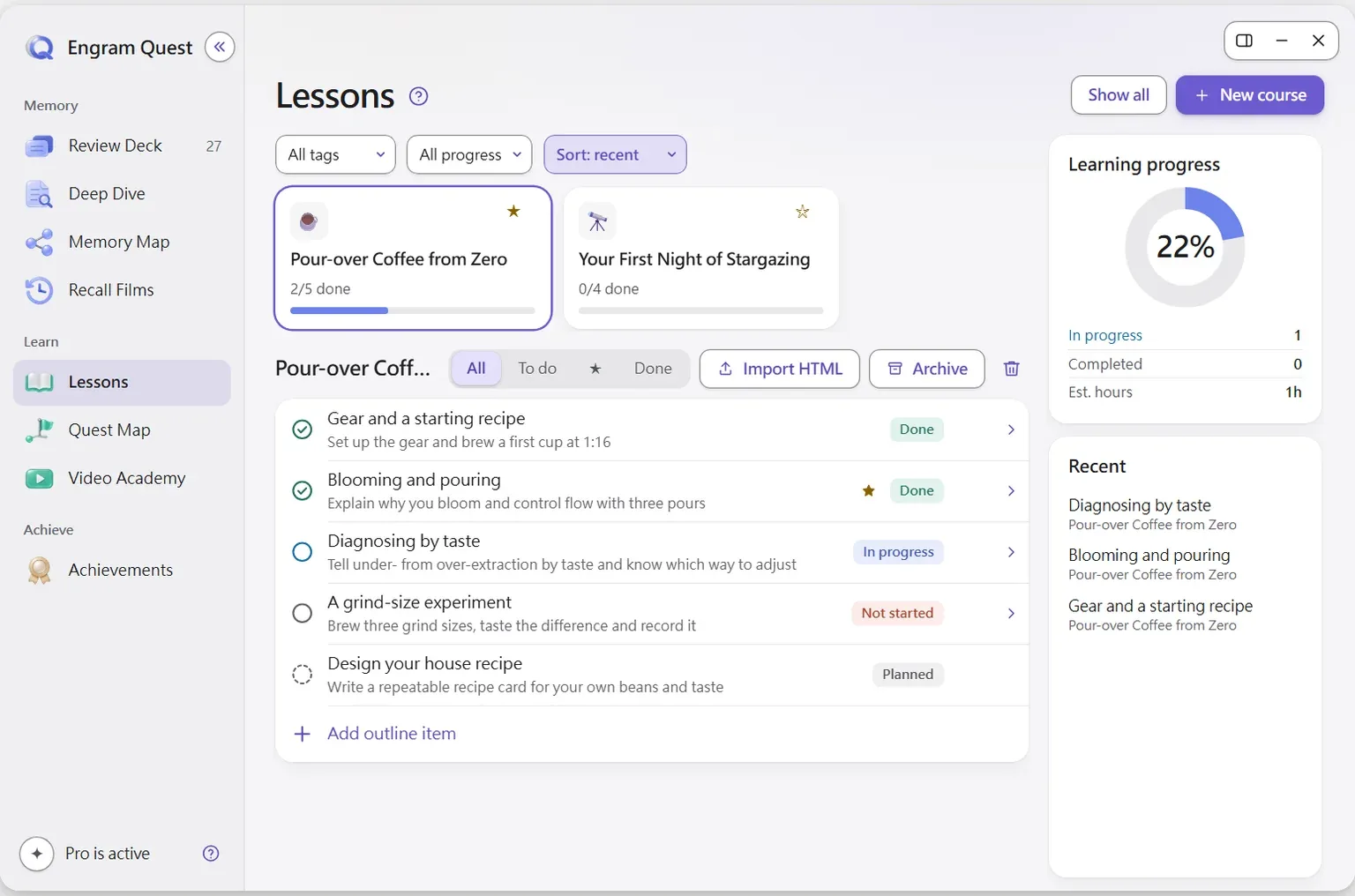
Flashcards that come back just before you forget.
FSRS spaced repetition with three layers of hints. Write cards by hand in any note or let AI draft them from your notes.
Learn more Review Deck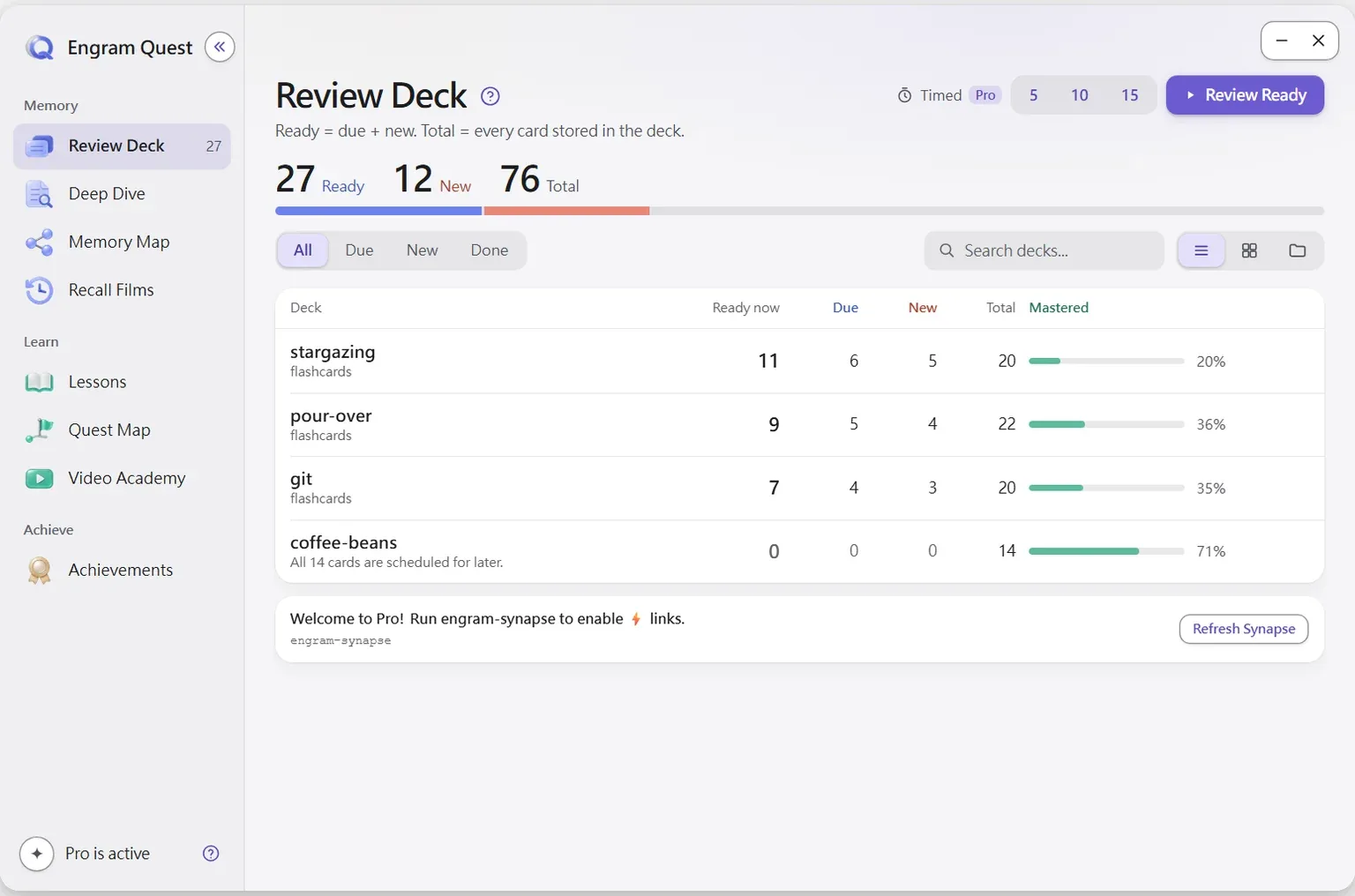
Use what you know in situations you have not seen.
Missions put the real material in front of you and score what you decide. A boss battle at the end tests judgment.
Learn more Quest Map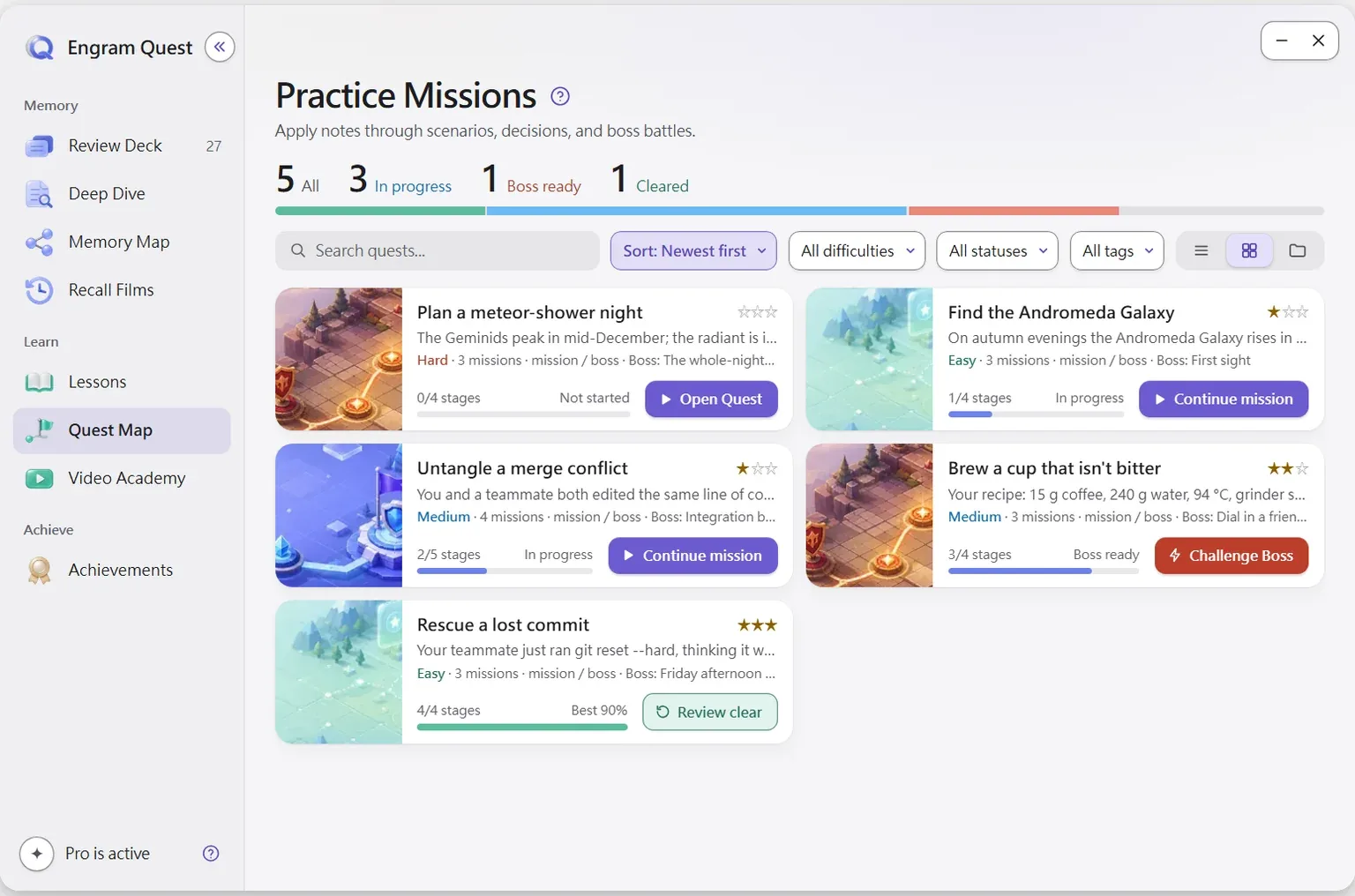
See how the ideas fit together.
Obsidian Canvas maps built with chunking, analogy and links to notes you already have. One click opens the map during review.
Learn more Memory Map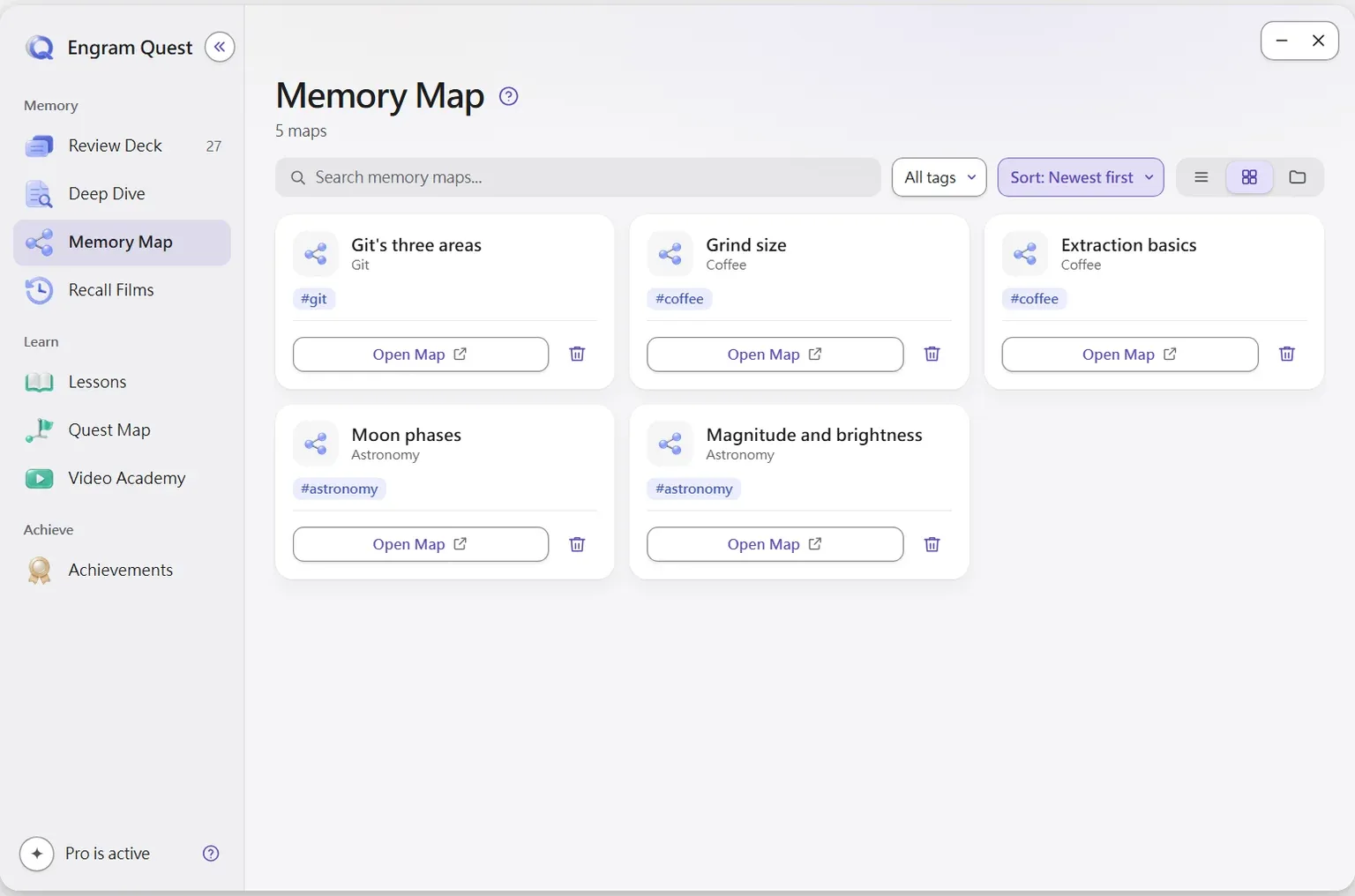
Walk back through a month of what you studied.
A recall film brings ideas back in the context you met them, built on maps and diagrams, with retrieval questions for every topic.
Learn more Recall FilmsTry a card
Recall first. Hints only when you need them.
This is how a Review Deck card works. Try to answer before you open a hint.
- L1 · Active recall
- L2 · Contextual anchor
- L3 · Narrowing hint
L1 · Active recall
Why do stargazers use a red flashlight?
Intervals are illustrative; FSRS sets them from your own review history.
Video Academy
Your notes, taught back to you.
Tell Claude Code what you want to learn and why. It decides which notes to use, how many videos to make and how long each one should be.
Goal first
“Build a website”, “learn functions”. Add detail if you like; drop notes in to narrow it down, or choose not to use your notes at all.
A classroom, not a slideshow
Every video is shot in the Engram studio, light or dark set to suit the content, with subtitles if you want them.
Pick up where you stopped
Series sit on a shelf; the player remembers your position and marks what you have watched.
Choose how you are taught
Each teacher explains in a different way. Nico is included free.
NicoLearn by doing
Drops you into a real situation with the real interface and numbers, shows it once, then hands it to you.
Good if: You want to use it right after watching.
Built on memory science
Not more notes. Memory you can use.
Every feature maps to a well-studied learning effect.
Active recall
Cards show only the question first, so you retrieve before any hint appears.
Review Deck · L1Spaced repetition
FSRS-5 schedules each card for the moment you are about to forget it.
Review Deck · FSRSContextual memory
A second hint rebuilds where you first learned the idea, from your own vault.
Review Deck · L2Episodic memory
Recall films return a month of study in the context you met it.
Recall FilmsDual coding
Words and pictures together: teaching videos, diagrams and canvas maps.
Video Academy · Memory MapTransfer
Missions ask you to use an idea in a new situation, not repeat it.
Quest Map
Simple by design
If you can ask, you can use it.
No new app to learn and no prompts to engineer. Install once, then talk to your AI the way you already do.
Add the plugin
Install EngramQuest from Obsidian's community plugins. It is free.
Install the skills
Settings → EngramQuest → AI Skills → Install, for Claude Code, Codex, Gemini CLI or Cursor. They update themselves.
Ask in plain words
Open your AI tool in your vault and say what you want. The result appears in the Hub.
Try saying
- “Make me a course on React. I'm a .NET developer.”
- “Turn my SEO notes into short teaching videos.”
- “Build a review deck from notes tagged #flashcards/math.”
- “Make a hard quest map from Note.md.”
Prefer no AI? Tag a note #flashcards/topic, write Q: and A:, and it shows up in Review Deck. Write cards by hand
See it running
Watch the real plugin.
EngramQuest in one minute
Get started in 3 steps
Create a course with Claude Code
Review Deck: flashcards from your goal
Quest Map: turn notes into practice
Memory Map: see how your notes connect
Questions
What is EngramQuest?
EngramQuest is a free Obsidian plugin that turns your notes into things you can learn from: interactive courses (Lessons), short teaching videos (Video Academy), practice missions (Quest Map), FSRS flashcards (Review Deck), canvas maps (Memory Map) and recall films.
Is EngramQuest free?
Yes. Install it from Obsidian's community plugins at no cost. Flashcards, lessons, quests, memory maps, achievements and Video Academy with the teacher Nico all work without paying. An optional upgrade inside the plugin adds extras.
Do I need AI to use it?
No. Tag any note #flashcards/topic, write Q: and A:, and the cards appear in Review Deck. AI only helps you make courses, videos, quests and maps faster.
Which AI tools does it work with?
Claude Code, Claude Desktop, Codex, Antigravity, Gemini CLI and Cursor. You install the EngramQuest skills for your tool with one click in Settings → EngramQuest → AI Skills.
Does it cost API fees or need a new subscription?
No. The skills run inside the AI tool you already use, on your existing plan. EngramQuest is not a SaaS and has no account.
Does it send my notes anywhere?
The plugin never sends note content. It reads notes on your device to find cards and maps. Your AI tool reads the files you ask it to work on, under that tool's own terms.
Keep what you learn.
Free for Obsidian on desktop and mobile. AI optional.
Free community plugin · Opens Obsidian. Nothing happens? Install from the plugin directory (opens in a new tab)